Get started
Download the standalone package for your operating system (Windows, Linux, or macOS), add the files of the original game, and play.
Play (True Native Multiplatform)
-
Download the latest release for your OS from
GitHub Releases or the Download page:
- 🪟 Windows: 64-bit standalone package (
.zip) - 🐧 Linux: x64 standalone package (
.tar.gz) - 🍏 macOS Apple Silicon: ARM64 standalone package (
.tar.gz) - 🍏 macOS Intel: x64 standalone package (
.tar.gz)
- 🪟 Windows: 64-bit standalone package (
-
Put the files of Civilization 1 for DOS in a folder named
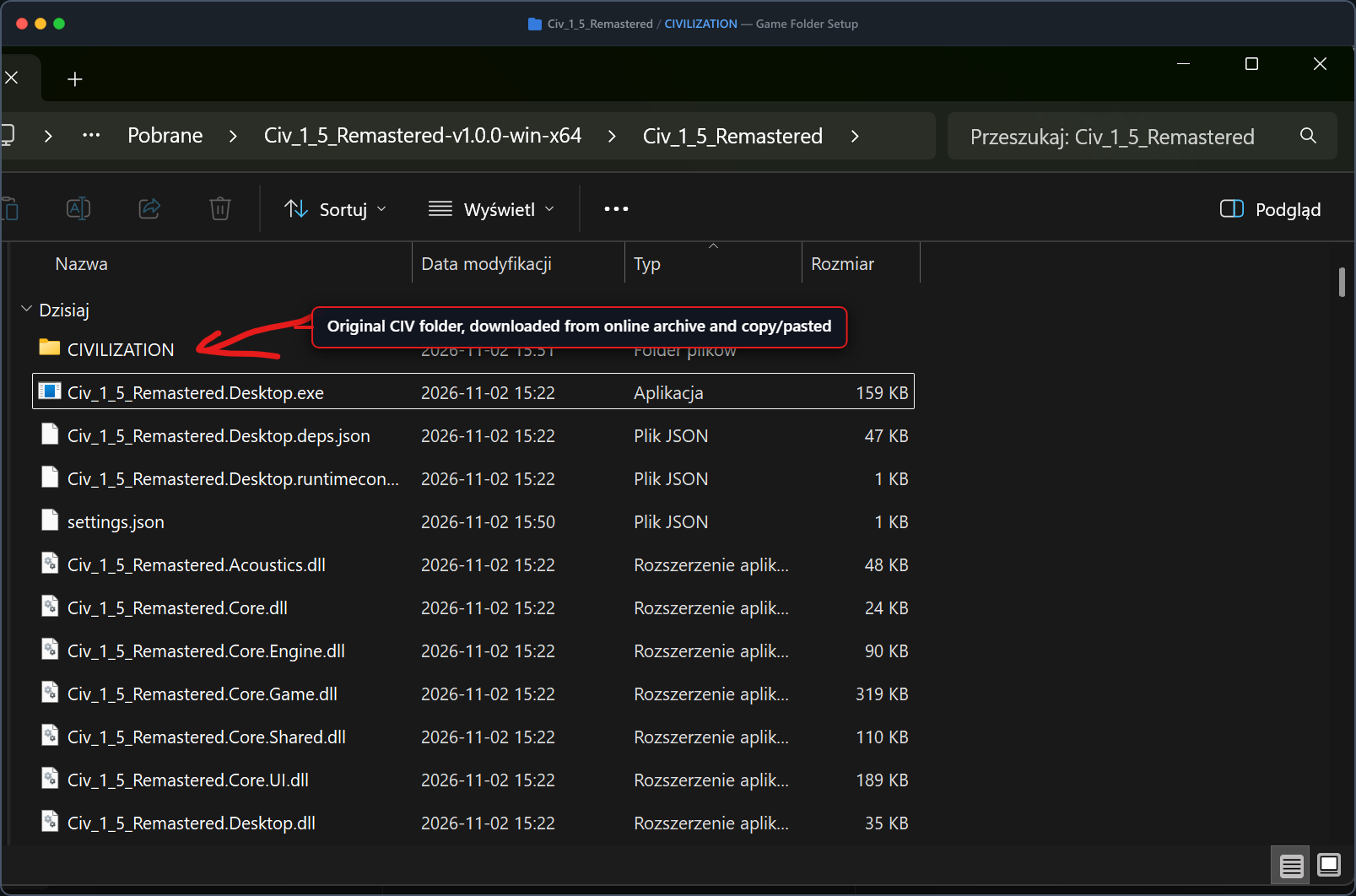
CIVILIZATIONnext toCiv_1_5_Remastered.Desktop.exe(orCiv_1_5_Remastered.Desktopon Linux/macOS). The game files are not part of this project; to find a copy, search for CIVILIZATION.zip Civilization 1991 DOS. - Run
Civ_1_5_Remastered.Desktop.exe(or./Civ_1_5_Remastered.Desktopon Linux/macOS).
Zero DOSBox and no installation required: completely standalone self-contained binaries for all platforms. Just copy the original game folder next to the executable, as in the picture below.
Build from source
You need the .NET 10 SDK and the CIVILIZATION
folder next to Civ_1_5_Remastered.sln.
git clone https://github.com/DavIT-Futures/Civ_1_5_Remastered.git
cd Civ_1_5_Remastered
dotnet build Civ_1_5_Remastered.sln
dotnet run --project Civ_1_5_Remastered.Desktop
Keys
| Key | What it does |
|---|---|
F11 | Full screen on and off |
Alt+H | Help of the turn |
E | Upgrade the unit in a city |
All other keys work as in the original game.
Saved games
Saved games are the original CIVIL0.SVE – CIVIL19.SVE files, and the original game can
load them. The hit points of damaged units are kept in a .HP file next to each save.