What's new
DLC: Poland and Japan (Polish, Japanese)
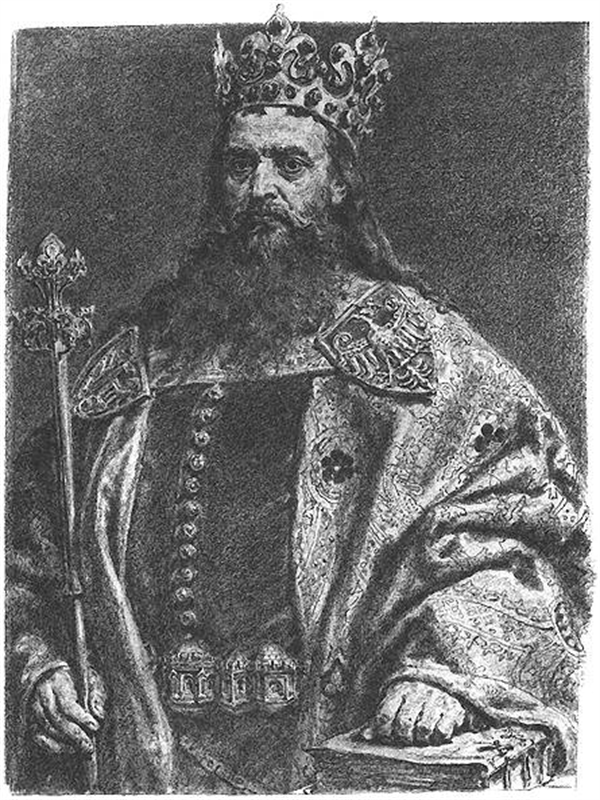
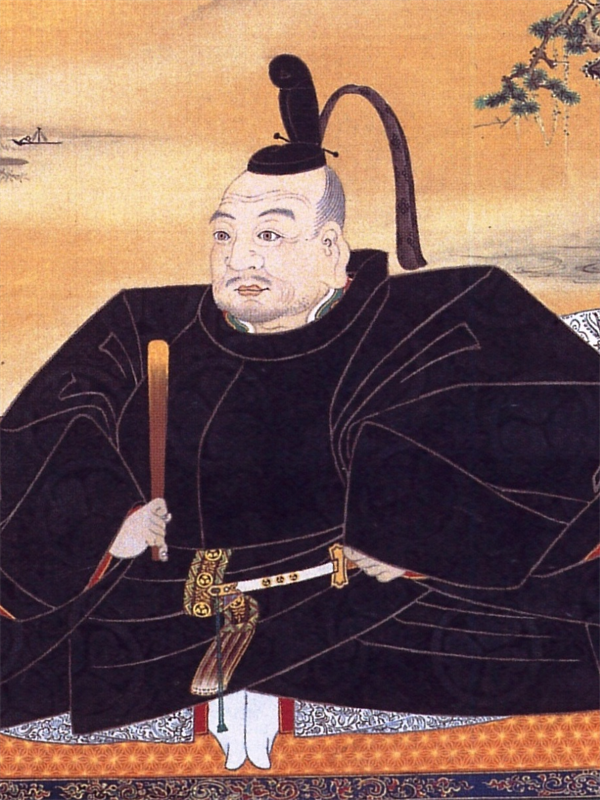
- White & Red Regalia: Iconic striped 2-pixel red-and-white uniforms on unit sprites and city banners.
- Authentic MIDI Anthems: Studio arrangements of Mazurek Dąbrowskiego & Kimigayo across all 8 sound drivers.
- Earth Map Start: Historically accurate coordinates for Warsaw and Honshu on the Earth scenario.
- 48 Cities Each: Historically researched city lists for both nations (Warsaw, Kyoto, Kraków, Tokyo...).
True Native Multiplatform
Civilization (1991) running 100% natively on modern desktop platforms. The entire game logic and renderer have been rebuilt in modern C# as standalone, self-contained 64-bit binaries for Windows, Linux, and macOS.
Zero DOSBox, zero emulation overhead, and no external runtimes required. Just download the archive for your operating system, extract, and enjoy original AdLib and Roland music with pixel-perfect integer scaling.
Units have health
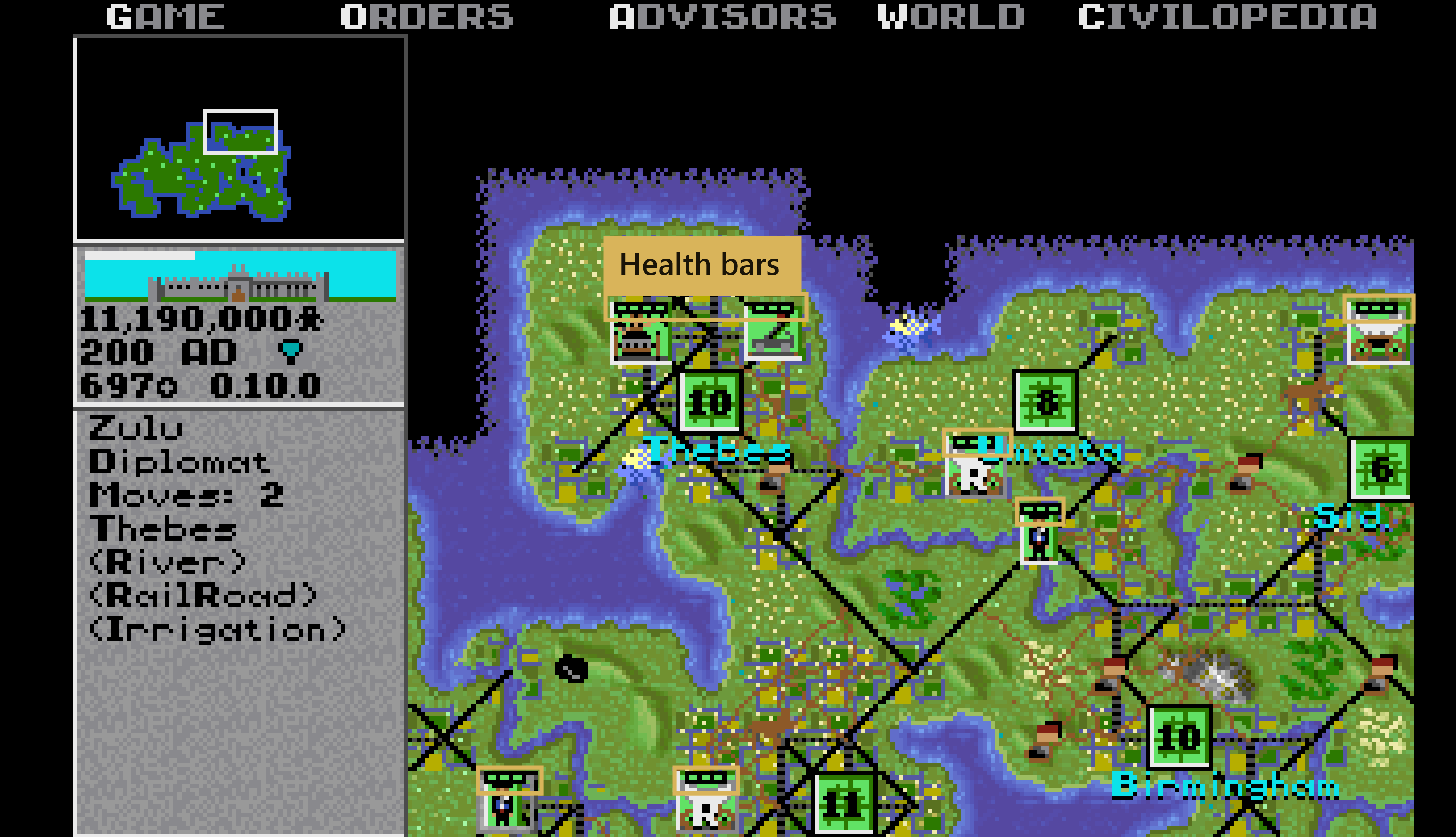
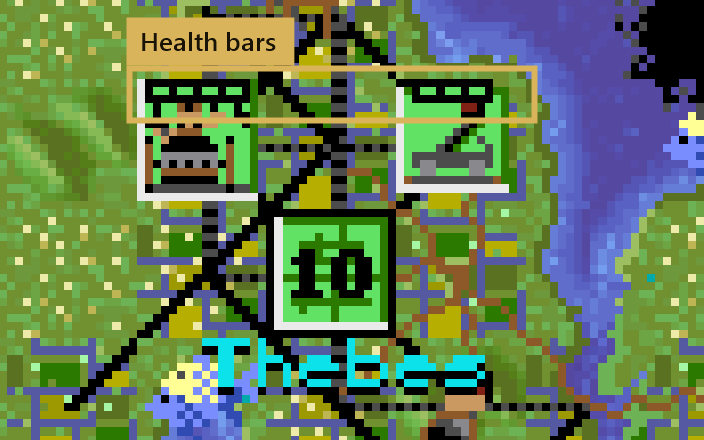
A standard unit has 3 hit points, a veteran 4, and an elite unit 5. Damage stays after the battle, and a health bar shows the current state on the map and during battles.
Battles are fought in rounds: each round removes one hit point from the side that lost it. The original decided a battle with a single roll, so a Trireme could sink a Battleship; now a weak unit has to win several rounds in a row.
The hit points are saved in a small file next to the saved game (CIVIL0.HP next to CIVIL0.SVE),
so the original DOS game can still load the save without issues.
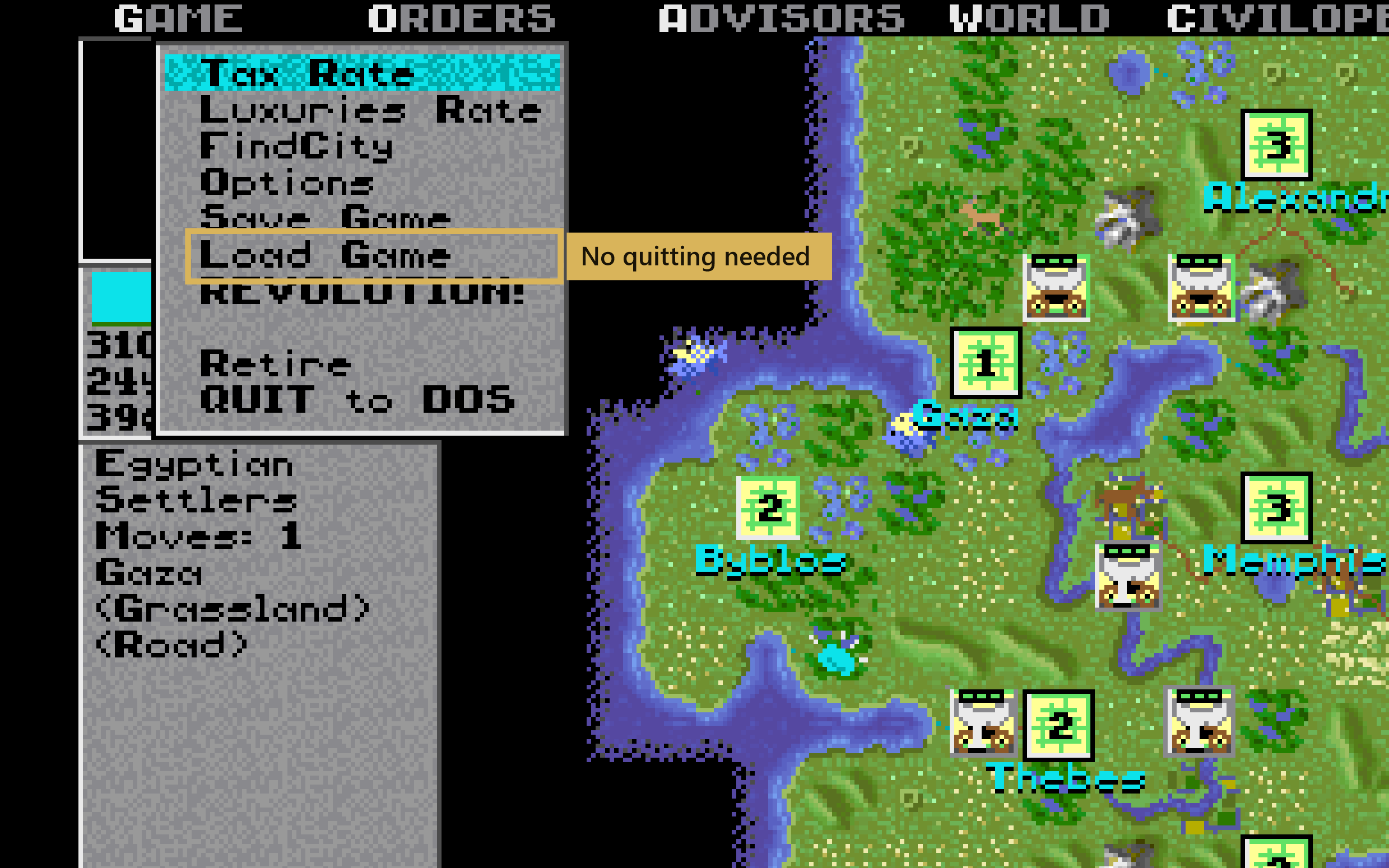
Load Game in the game menu
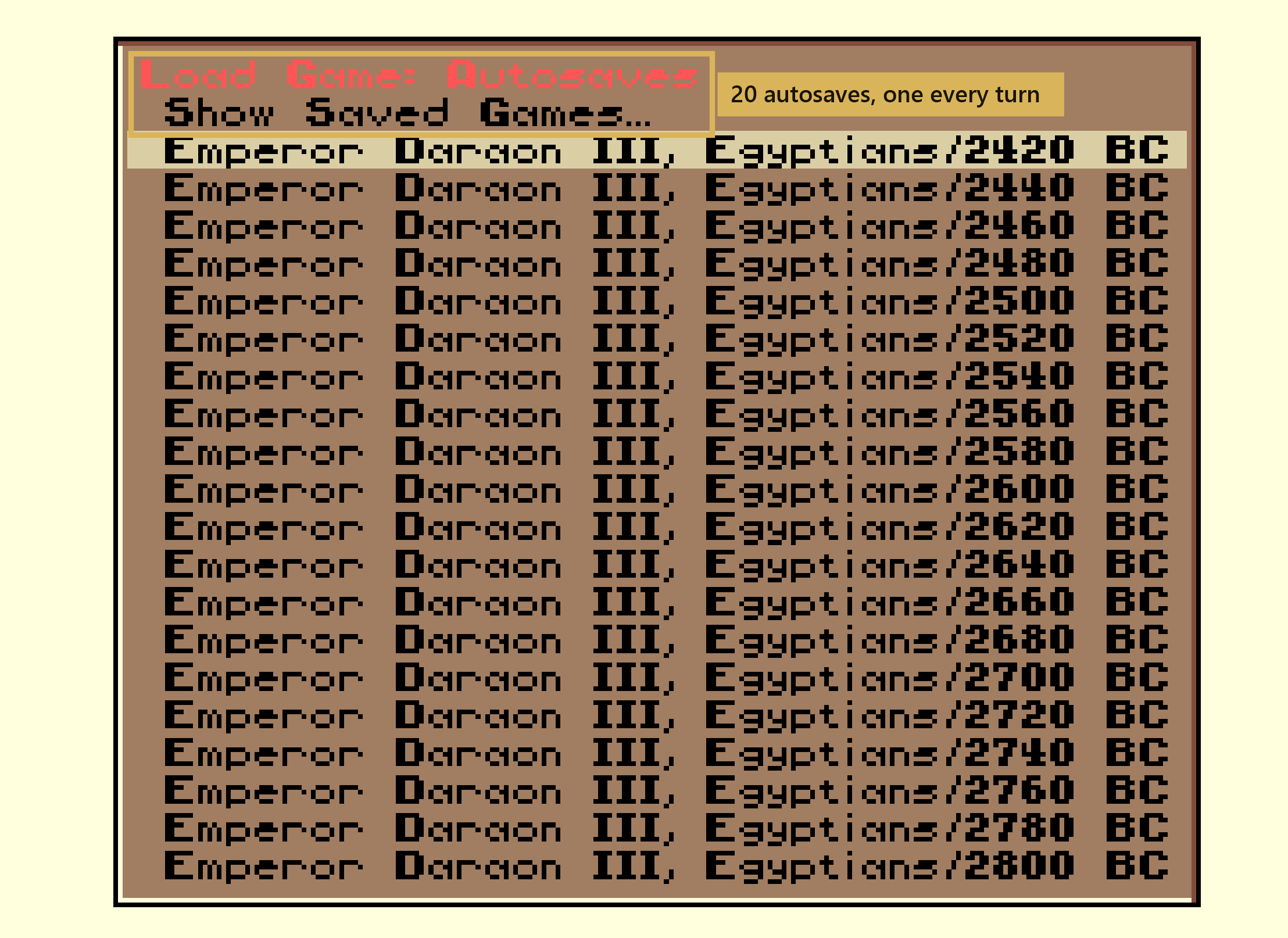
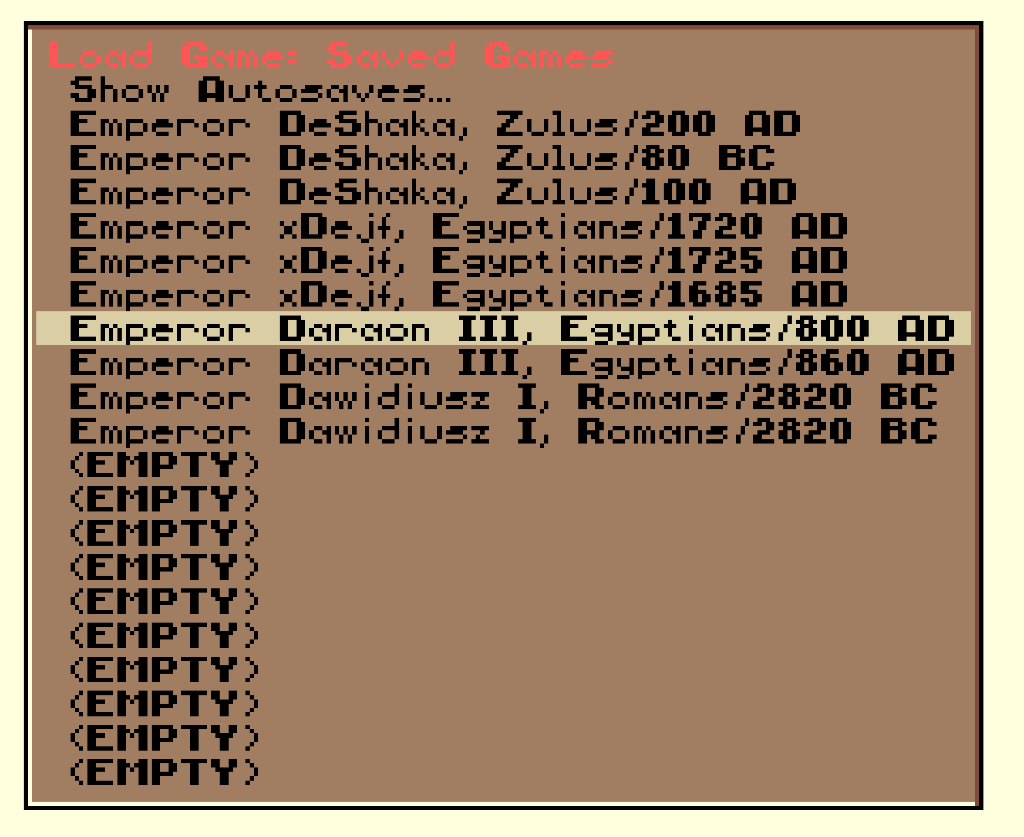
The in-game menu has a Load Game option, so you no longer have to exit to the main menu to load a save. The list shows your latest autosaves or manual saved games.
20 save slots and 20 autosaves
Save in 20 slots (CIVIL0 to CIVIL19) instead of just 4. In addition, the game saves every turn
to 20 rotating autosaves (AUTO00 to AUTO19), overwriting the oldest, so you can go back up to
20 turns. The original only had 4 autosaves, once every 1,000 years.
Continuous city projects & enhanced production menu
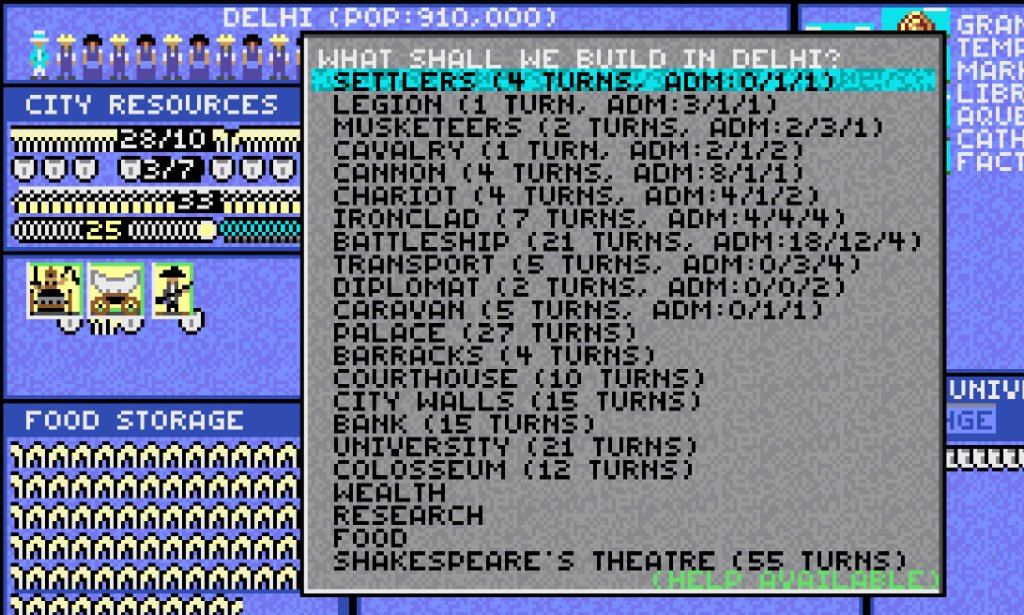
Instead of producing units or buildings, cities can directly convert net shield production into gold, science, or food supplies:
- Wealth: converts 50% of net shields directly into gold and taxes (requires Banking).
- Research: converts 50% of net shields directly into science points (requires University).
- Food: converts 50% of net shields directly into city food supplies (requires Engineering).
The build dialog now displays the precise number of turns to completion and unit combat statistics (ADM: Attack / Defense / Movement).
Centered numeric resource badges in city view
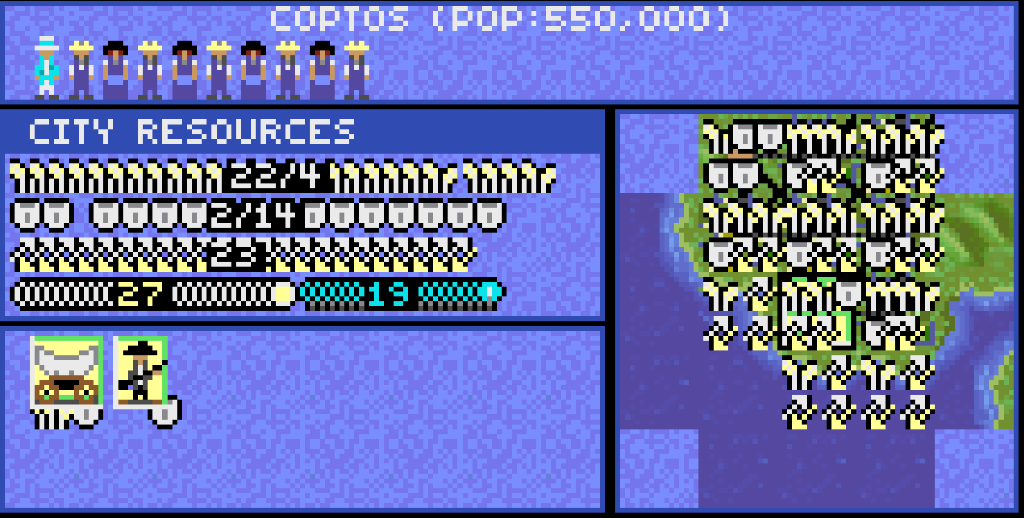
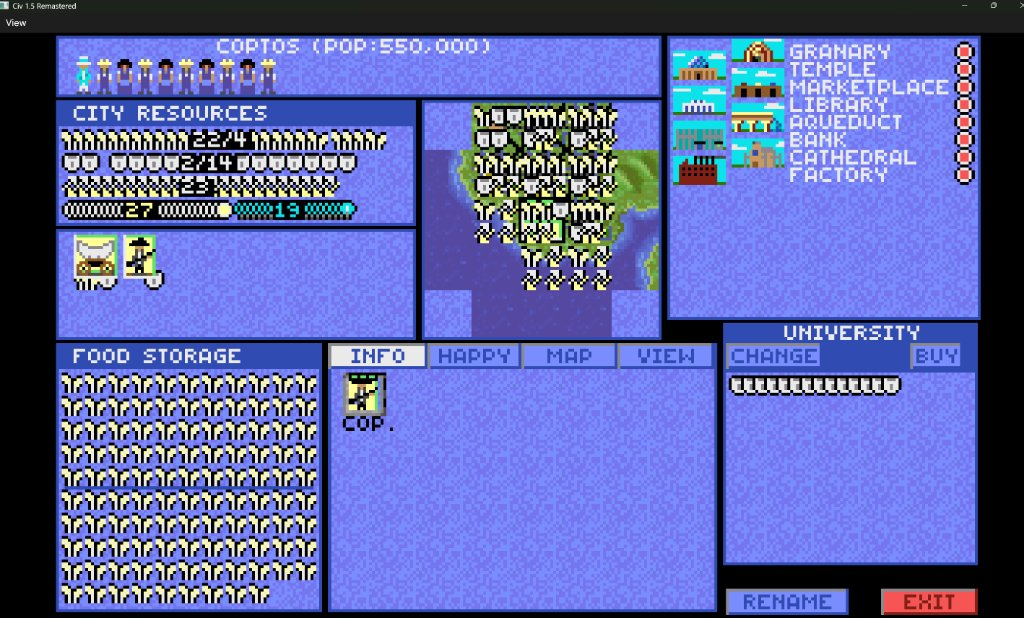
City resource rows now feature clear, readable numbers centered directly on wheat, shield, and coin icons.
Food and production rows clearly display the split between consumed upkeep and surplus (e.g. 22/4 indicates 22 food consumed and 4 stored).
The trade row breaks down total revenue into gold and science outputs (e.g. 27 gold coins and 19 science beakers).
Railroads through cities and transit networks
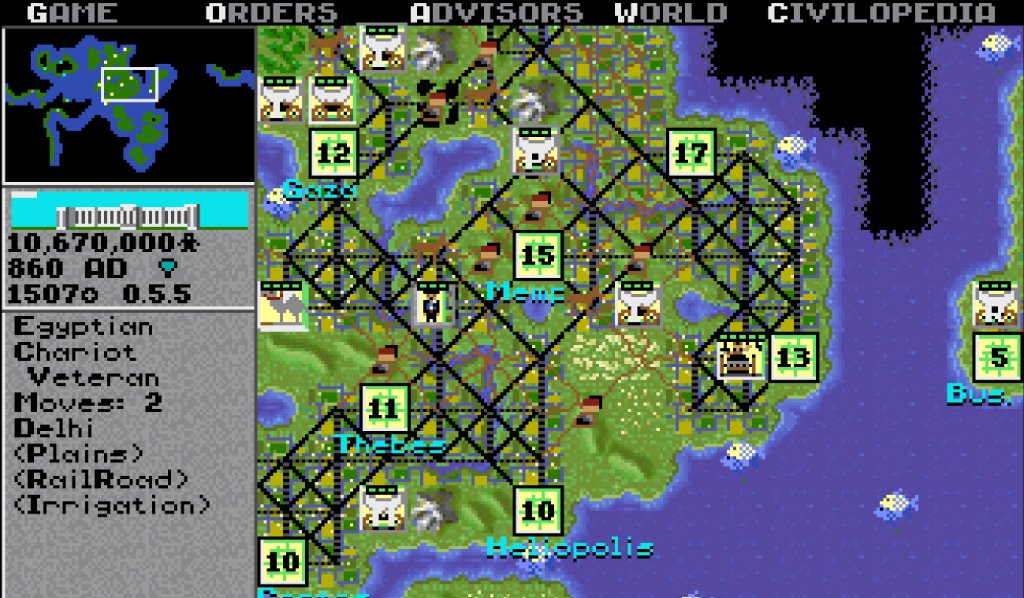
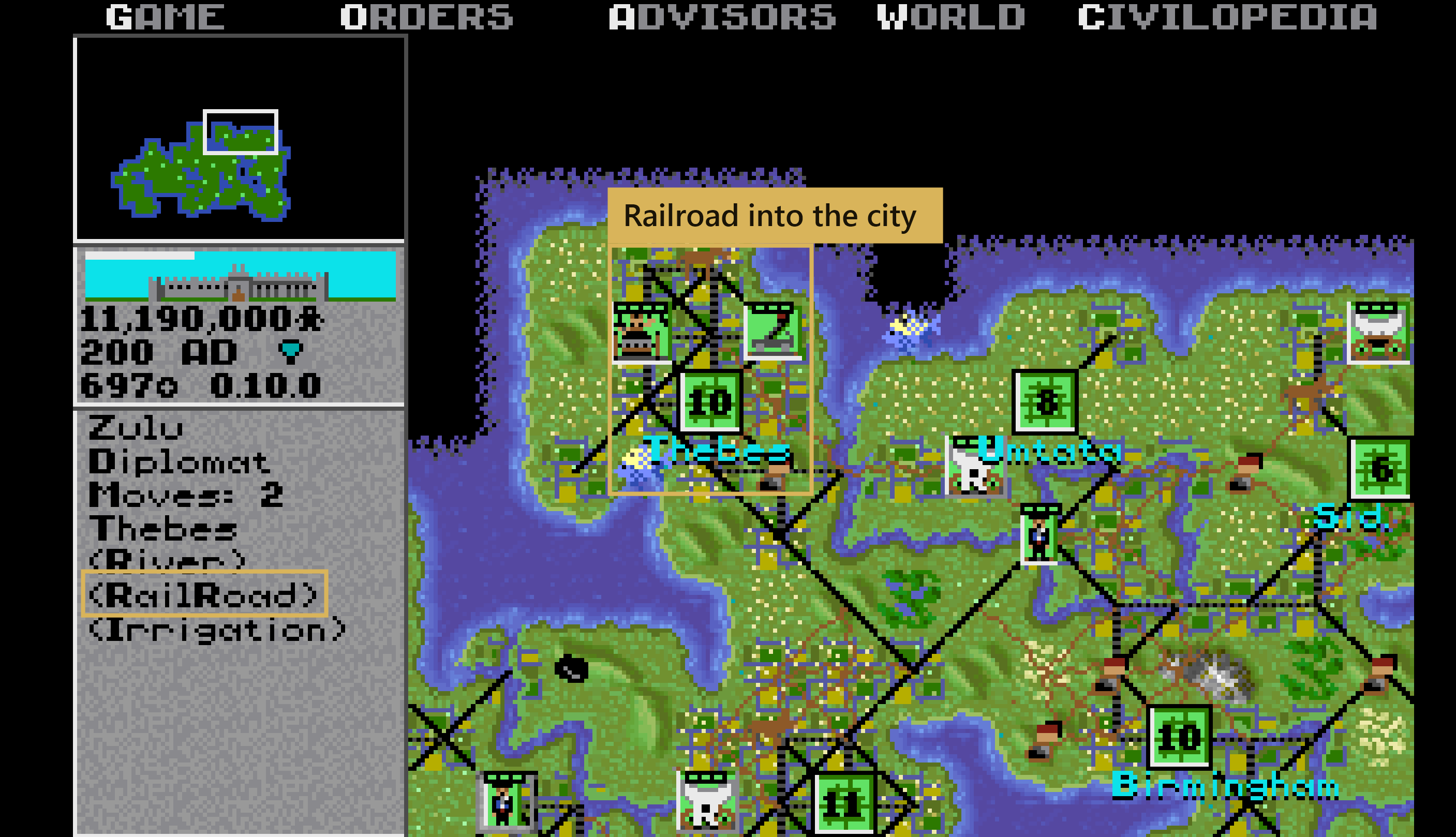
A city receives railroads the moment its owner discovers Railroad technology. In the original game a city only had a road, so a train lost a third of its moves in every city it passed through.
Movement along rail tracks through cities is now completely free of movement cost, also supporting GoTo orders and AI players.
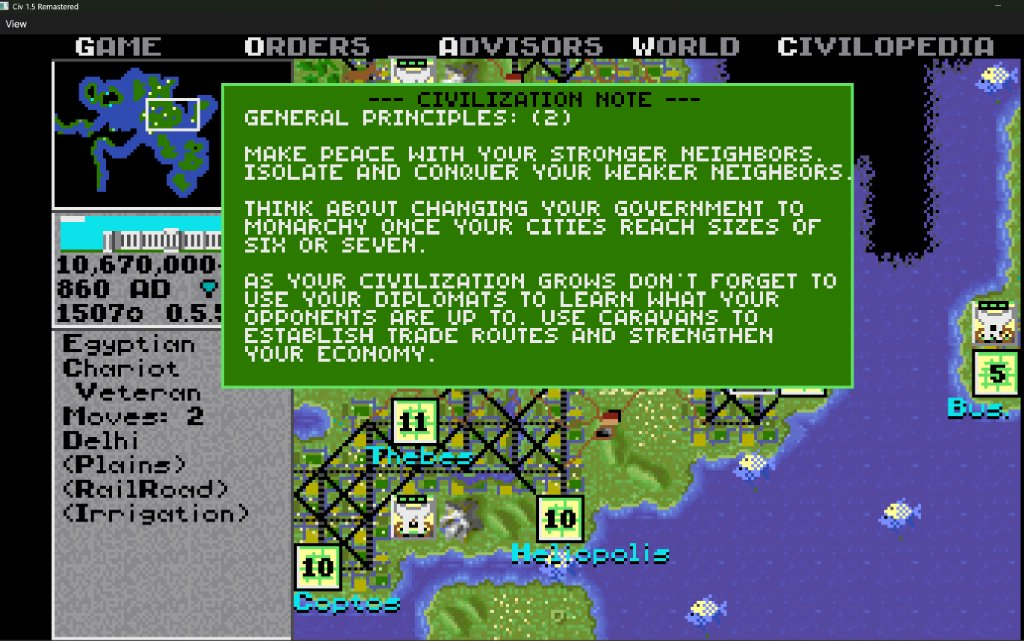
Tactical advice & notes with Alt+H
Pressing Alt+H displays current strategic notes and helpful advisor insights (Civilization Notes) at any turn and any year during your campaign.
In the original 1991 release, help was locked after 0 AD and required the global help option enabled. Now tactical guidance remains available throughout the ancient, medieval, and modern eras.
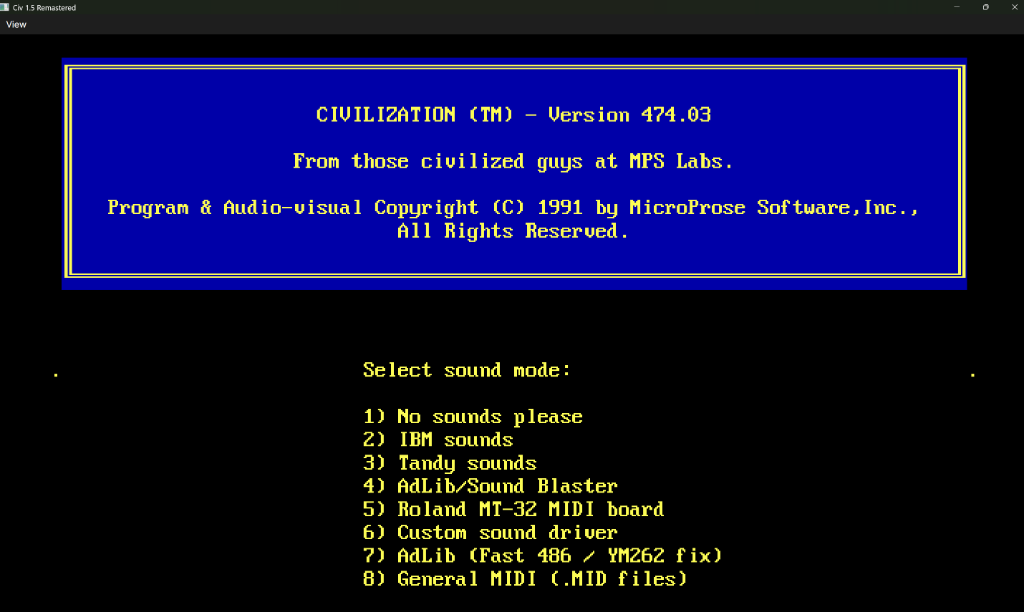
8 audio modes & authentic DOS setup
The game starts with authentic 1991 setup screens rendered in 640×400 with IBM PC ROM BIOS fonts. Features 8 selectable sound modes: 1-bit PC Speaker, newly restored Tandy 1000 3-voice sound (TI SN76496), AdLib OPL2 FM, official MicroProse 486 (ASOUND2) & YM262 (ASOUND3) patches, Roland MT-32 translation, and native direct playback of 18 General MIDI (.MID) arrangements.
Read all about the audio systems on the dedicated Sound & Music page.
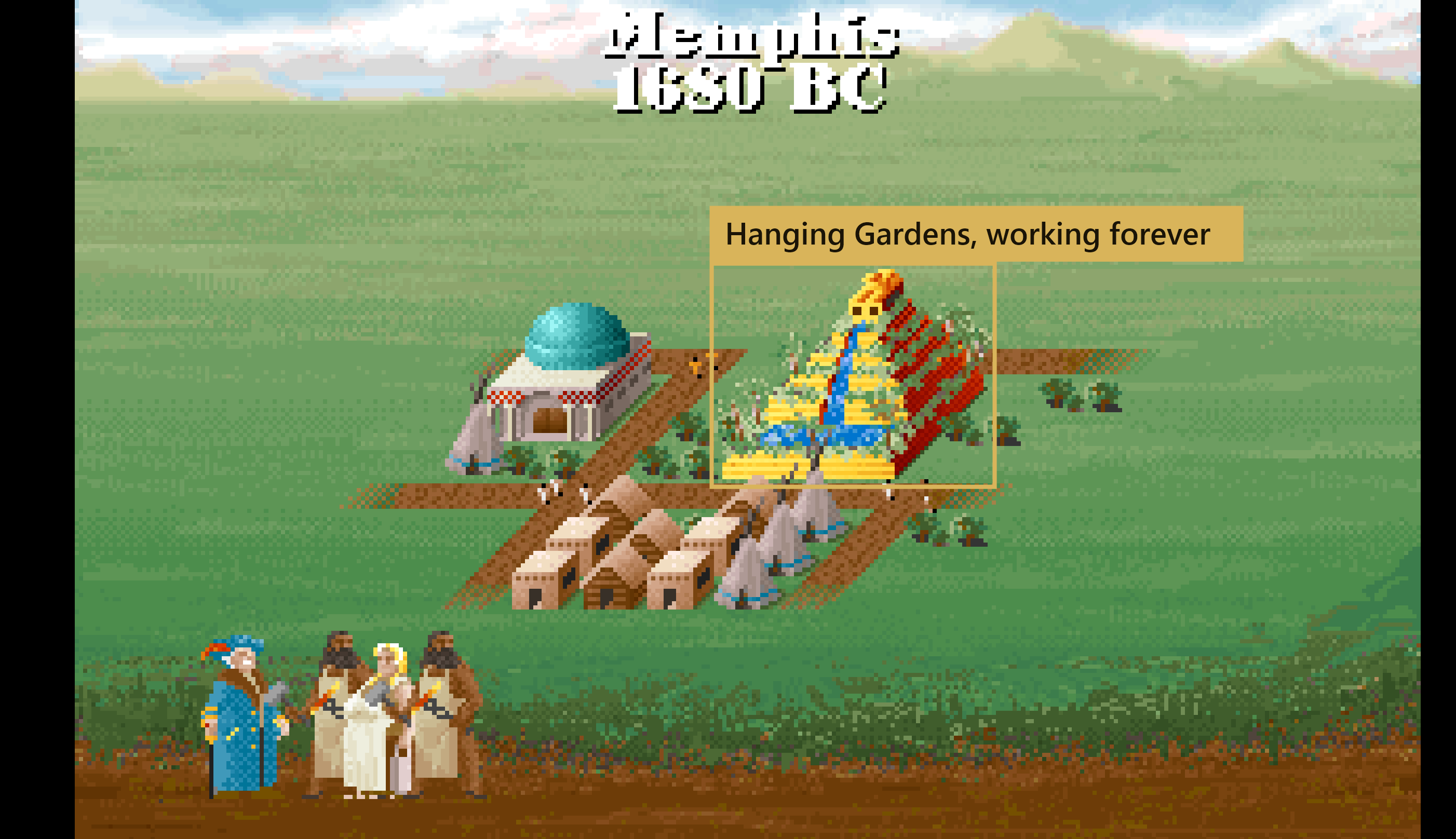
Wonders of the World never expire
In the original game most Wonders of the World stopped working when any player discovered a particular technology: the Hanging Gardens with Invention, the Pyramids with Communism, and the Great Library with University. Now a Wonder keeps working as long as you control the city it was built in.
The Civilopedia describes the wonders without the expiration notes.
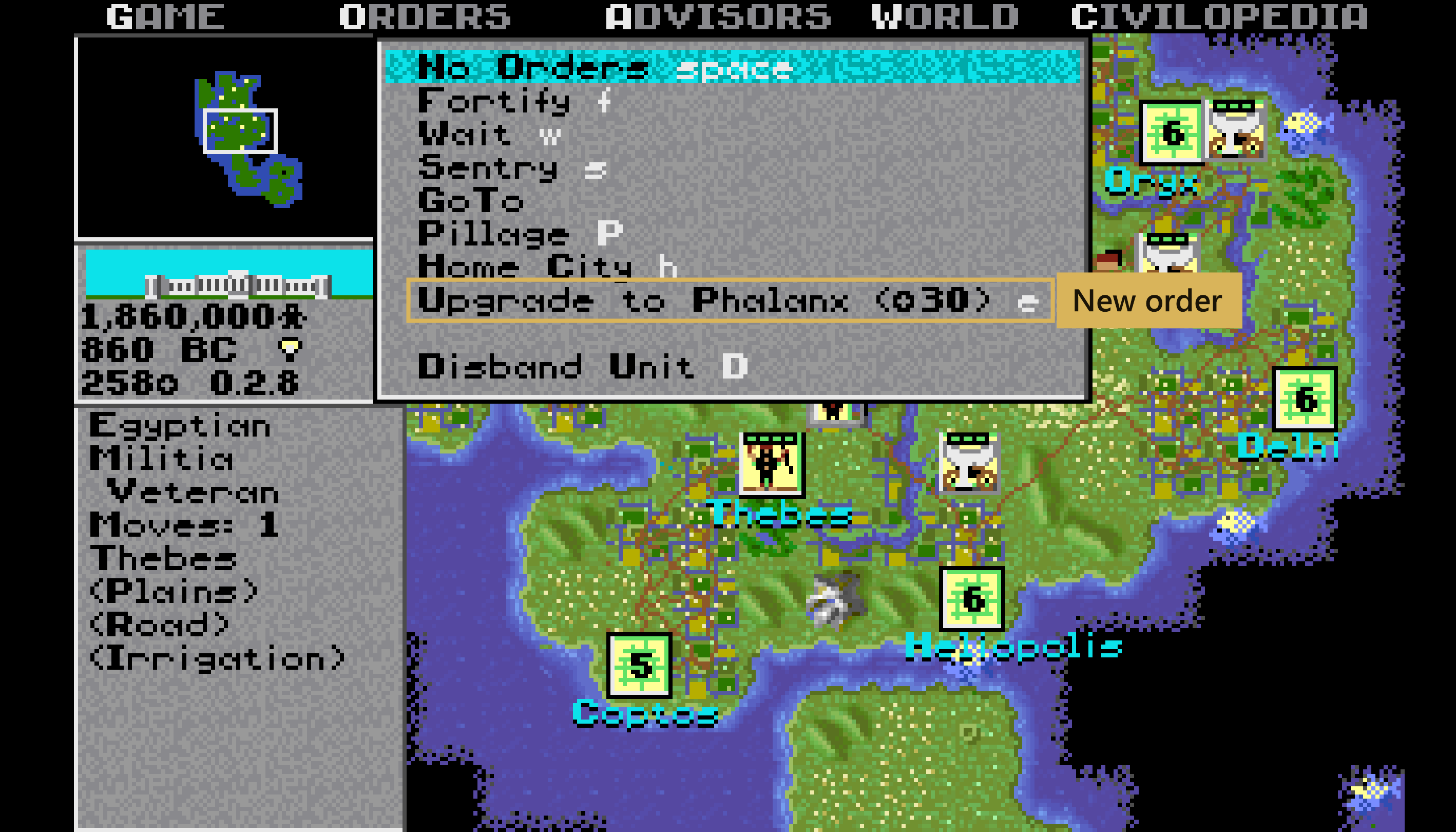
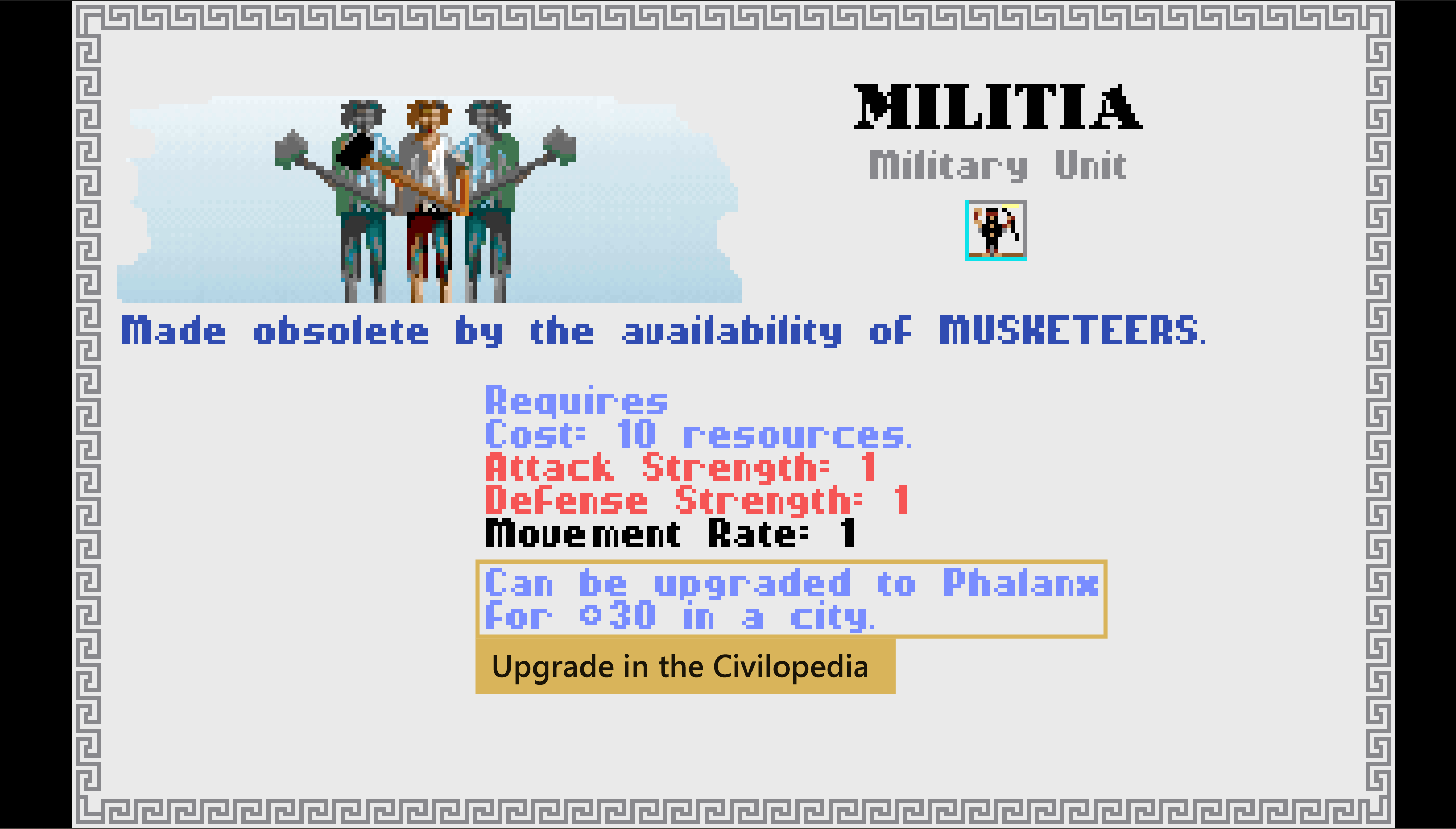
Upgrade units for gold
An obsolete unit in your city can be upgraded to its successor: Orders → Upgrade or the
E key. The unit keeps its veteran or elite rank and its hit points, and uses up its move for the turn.
- Horsemen → Chariot → Knights → Armor
- Militia → Phalanx → Musketeers → Riflemen → Mech. Inf.
- Legion → Musketeers
- Catapult → Cannon → Artillery
- Trireme → Sail → Transport (civilian ships)
- Frigate → Ironclad → Cruiser → Battleship (warships)
The cost matches the rush-buy price of the missing shields in the city (at least $30). The computer opponents upgrade their units as well.
Demographics
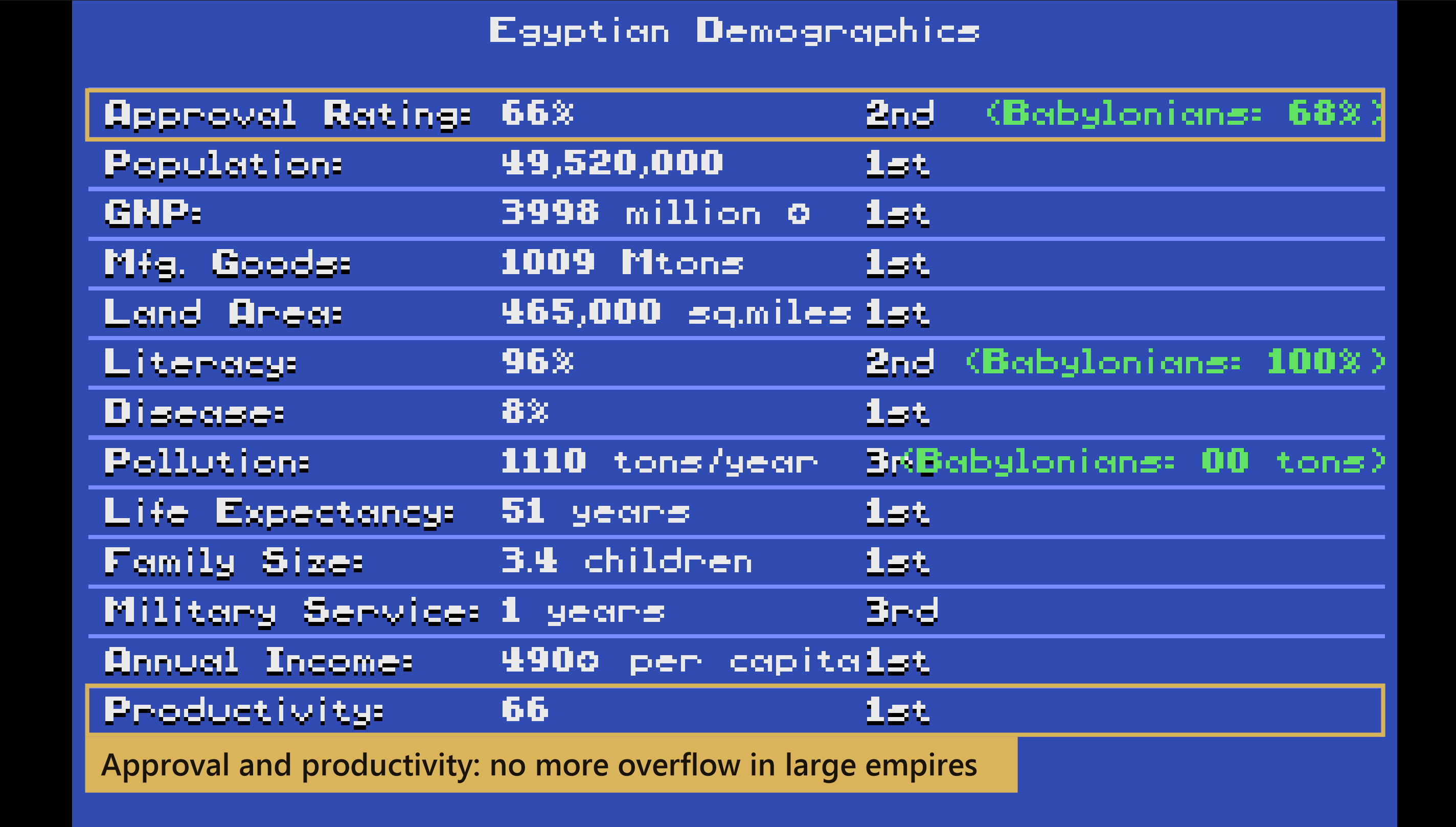
The demographics screen used 16-bit numbers and wrapped around in large empires, showing negative approval, production, and disease numbers. The values are now calculated correctly.
New in version 1.7.0
- Civil disorder warning before the end of turn, with automatic entertainers
- Sentried units wake up when an enemy stands next to them
- Courthouse removes three quarters of the corruption
- The Senate allows war against a civilization with a vendetta or a plan to break the peace
- Computer expansion measured in headless games: 21-60% more cities
- New Civilopedia entry City Rules
New in version 1.6.0
- Diplomacy rework: vendettas expire, reparations, peace counter, treaties protect for 16 turns
- War Advisor (F12): mood, reasons of hostility, forecast of the next audience, T to talk to a ruler
- Production queue with the QUE button; wider production box in the city screen
- Automated settlers: 5 modes, all cities or one city, A on the icon, smart work order, jungle and swamp
- Fastest GoTo over the whole map, sticks to railroads and roads
- Fairer stack combat: only the defender dies, the rest lose 2 hit points
- Elite rank shown (E), elite units roll two lost combat rounds again, square health pips
- Civilian ships (Trireme, Sail, Transport) cause no unhappiness; Frigate is a 50-shield warship; new ship upgrade chains
- New Civilopedia entries Diplomacy, War, Automation; Alt+H lists the new keys
- Queues and automation saved in a compatible .EXT file
Smaller fixes and refinements
- Native Multiplatform (Windows, Linux, macOS): Runs 100% natively on 64-bit Windows, Linux, and macOS (native builds for both Apple Silicon M-series and Intel x64) without DOSBox, Wine, or any runtime installation.
- DLC — Poland & Japan: Full playable Polish and Japanese civilizations with custom striped regalia, authentic MIDI anthems, and historical Earth start locations (see detailed DLC overview above).
- Richer advisor reports: Research pace (+bulbs/turn) and remaining progress in the Science Report, total luxury, gross income, science pace (turns left), and net treasury cashflow in the Trade Report, plus column headers and empire-wide totals in the City Status Report.
- Elite units: A veteran that wins a battle becomes an elite unit and receives a fifth hit point. In every battle an elite unit may roll two lost combat rounds again. The unit panel shows
Eliteand unit lists mark it(E). - Production queue: Press
Qor theQUEbutton (between CHANGE and BUY, light green while the queue is not empty) in the city screen to plan up to five items; the city starts the next one by itself when the current item is finished, and items that became impossible are skipped. The production box of the city screen now spans the full width so all three buttons fit. - Automated settlers: Order
A(also Orders → Automate Settlers) with five modes: roads only, improve everything, improve without replacing existing work, clean up pollution, and connect cities with roads and later railroads. They work around all cities or only around the nearest one, show anAon their icon, and develop city land in a sensible order: grassland with a shield, plains, grassland without a shield — road first, then irrigation — while pollution is always cleaned first. A settler standing on grassland, plains, desert or a river (with Bridge Building) builds the quick road first. Jungle and swamp are drained into grassland, but jungle with gems becomes forest (game) and swamp with oil only gets a road. Two automated settlers never pick the same tile; selecting the unit cancels the automation. - Smarter GoTo: Units take the fastest route over the whole map instead of the original short-range search (a 16×16 window and a coarse block graph that knew nothing about railroads): they stay on railroads, use roads, avoid enemy units and foreign cities, and do not zigzag.
- Fairer stack combat: A stack beaten on land outside a city or fortress no longer dies entirely: the defender falls, the others lose 2 hit points and only the weakest die.
- Diplomacy rework and War Advisor (F12): One sneak attack no longer means endless war. Vendettas expire (48 turns, longer for repeat offenders), expensive reparations buy forgiveness, treaties last at least 16 turns, a ruler drops plans to break the peace when you are much stronger, and long peace builds trust. The warning before breaking a treaty shows the vendetta and the reparations it will cost. The War Advisor shows peace length, mood and army for every civilization; press 1-6 for the reasons of hostility or friendship, a forecast of the next audience (tribute, peace offer, technology exchange, hidden betrayal) and advice,, press
Cfor every condition with its current value (green for us, red against us), and with an embassy pressTto talk to that ruler at once. A long peace also eases the envy rulers feel for the world leader without nuclear weapons: after 32 turns a good mood outweighs it, after 60 it is gone. - Expanding computer opponents: The original computer left wide gaps between its cities (an average site needed 5-7 tiles to the next city), searched for sites by walking in random directions and rarely had more than one settler. Now its settlers head for the best free site nearby, keeping 5 tiles between cities (4 on a small island). From Prince up the computer builds settlers first until it has 10 (Prince), 16 (King) or 24 (Emperor) cities, adjusted by the leader's expansion trait, and when its land is full it carries settlers to free islands by Trireme, Sail or Transport. Chieftain and Warlord stay as mild as before. Measured in headless games on Emperor (every civilization computer controlled, 110-150 turns), the computer founds 21-60% more cities than in the original until the land is full.
- Larger map window: View → Map shows more of the world at once: 15×12 tiles as in the original, or 20×15, 30×24 (four times as much map), 40×30 or 50×36 tiles. The tiles keep their size, so a bigger window simply shows more land instead of bigger pixels. The left panel stretches down, the minimap frame follows the window, and screens drawn for 320×200 (city, advisors, Civilopedia, messages) appear centred over the map. The choice is remembered.
- Civil disorder warning: When you end your turn, the game checks every city as it will be at the start of the next turn. If some would riot, it lists them and offers to assign entertainers (the least productive workers become entertainers until each city is calm), to end the turn anyway, or to go back to the map and fix them yourself.
- Sentry alarm: In the original game a sentried unit woke up only when an enemy moved next to it. Now every sentried unit with a unit of a civilization you are not at peace with (or a barbarian) next to it wakes up at the start of your turn, also inside cities. Land units sleeping aboard a ship at sea keep sleeping.
- Stronger Courthouse: Corruption grows with the distance from the Palace, and the original Courthouse only halved it, so distant cities and colonies stayed poor. The Courthouse now removes three quarters of the corruption.
- A Senate that listens: In a Republic or Democracy the Senate still forbids sneak attacks, but it lets you break a treaty — and refuse a peace offer — when the other civilization holds a vendetta against you, or when your embassy has exposed its plan to break the peace.
- Civilopedia entry City Rules: Civilopedia → Miscellaneous → City Rules explains corruption and the Courthouse, the civil disorder warning and the sentry alarm; the War entry describes the new Senate rule.
- Unit healing: Units recover hit points every turn (2 HP in a friendly city, 1 HP fortified in the field, 1 HP for naval units resting near coastlines up to 3 tiles from a city; air units heal strictly in cities).
- Free GoTo railroad movement: Movement along rail lines is completely free of cost also when executing GoTo orders and for computer opponents.
- Safe pillaging: Pillaging tiles directly adjacent to foreign cities no longer corrupts game memory or data structures.
- Modern RNG algorithm: Uses the fast and proven xoshiro128** generator instead of the archaic 1991 pseudorandom sequence.
- Civilian ships and warships: Trireme, Sail and Transport are civilian ships: away from home they never make the citizens of a Republic or Democracy unhappy, and they upgrade into each other (Trireme → Sail → Transport). Frigate, Ironclad, Cruiser and Battleship are warships: they cause unhappiness and upgrade along their own line (Frigate → Ironclad → Cruiser → Battleship). The Frigate stays a mixed unit — it fights and still carries two land units — but now costs 50 shields instead of 40.
- New Civilopedia entries and Alt+H notes: Civilopedia → Miscellaneous has three new multi-page entries — Diplomacy, War and Automation — that explain the whole algorithm of the computer's diplomacy, the stack rule, the production queue, automated settlers and GoTo.
Alt+Hnow ends with two notes listing the remastered keys and these entries. - Compatible saves: Production queues and settler automation are saved in a small file next to the game (
CIVIL0.EXT, likeCIVIL0.HPfor hit points), so the original DOS game can still load the save. - Strengthened Michelangelo's Chapel: Increases the effectiveness of all Cathedrals by 50% (6 content citizens instead of 4).
- End turn on boarding: Boarding a ship ends the unit's moves for the current turn, preventing invasion exploits.
- Missing game files assistant: Helpful dialog with troubleshooting guidance if files are missing from the
CIVILIZATIONdirectory. - Palace view rendering: Architectural palace components render without misplaced pixels.
- Interface and mouse stability: The game does not freeze on edge mouse clicks or when ending turns.
- Keyboard navigation: Arrow keys work reliably across all menus and dialog popups.
- VGA aspect ratio and palette: Accurate 4:3 pixel aspect ratio and authentic VGA color palette in windowed mode.
- Dissolve transitions: Title logo, newly constructed improvements, palace view, and end-game replays appear with smooth dissolve effects.
- Maximized window & fullscreen: Launches in a maximized window by default; F11 toggles borderless fullscreen.
- Optimized download size: Standalone cross-platform binaries take only ~20 MB instead of 46 MB.
A detailed list of places where the C# translation differed from the original DOS behavior can be found on the dedicated translation fixes page.